
Topical Maps guide
How to Create a Topical Map
To create a topical map, define the central entity, map its attributes, gather real queries, then test which deserve a page and link them core to outer.


Short answer
To create a topical map, define the central entity and the business's source context, list the entity's attributes and their values, and collect the real search queries behind each value. Then classify every query by intent, test which ones deserve their own page and which belong in a section, split the result into a core section and an outer section, and plan the internal links before any page is written.
A topical map is the page plan for one topic: it lists every page and section a website needs to answer the questions people ask about its central entity. Holistic SEO defines topical authority as ranking higher by processing connected topics and entailed search queries with accurate, unique and expert information, and a topical map is the plan that organizes those topics and queries into pages.
My method builds the map from entities first and keywords second. Each entity attribute, such as types, costs or problems, gets filled with values, each value gets real queries from autocomplete, People Also Ask and Search Console, and each query gets one of 15 intents, from definition questions to cost and troubleshooting questions.
A 4-rule page test then decides whether a topic earns its own URL, merges into a parent page as a heading, or stays a keyword variant of an existing page. The core section holds the attributes a buyer weighs before a purchase, the outer section widens coverage, and internal links run from the home page to hubs to pages, because Google finds most new pages through links.
In this guide
What Is a Topical Map?
A topical map is a structured plan of every page and section a website needs to cover one topic completely. It names the central entity, the attributes of that entity, the questions people search about each attribute, and the page that answers each question.
A topical map differs from a keyword list because it decides structure, not only targets. Each row of the map carries a decision, such as an own page, a heading inside a parent page or a variant of an existing page, plus the internal links that connect it.
Topical Map vs Keyword List vs Content Calendar
A topical map, a keyword list and a content calendar answer three different planning questions. The table compares them.
| Planning document | What it answers | What it lacks on its own |
|---|---|---|
| Keyword list | Which phrases people search, with volumes | Which phrases share one page, and how pages connect |
| Content calendar | What gets published and when | Why each page exists and where it sits in the topic |
| Topical map | Which pages and sections cover the topic, and how they link | Publishing dates, which the calendar adds later |
A site that starts from a keyword list often publishes one page per phrase, such as "SEO cost" and "how much does SEO cost", and those pages compete for the same search. A topical map groups both phrases under one page before writing starts.
What Does a Topical Map Contain?
A complete topical map contains 6 parts, from the business context down to the link plan. The list shows each part and its job.
- Central entity: the main subject of the site, such as a service, a product or a destination
- Source context: the business purpose that decides which parts of the topic matter most
- Attributes and values: the facets of the entity, such as types and costs, filled with concrete values
- Query templates: the repeated question shapes people search, such as "how much does {value} cost"
- Page plan: a decision for every topic, such as own page, heading, variant or dropped
- Link plan: the internal links from the home page to hub pages to individual pages
Each part depends on the one before it, so the order of the 9 steps below follows the same sequence.
In practice, the whole map fits in one spreadsheet with one row per value. Each row holds the attribute, the value, its queries and intent, the template, the page decision, the section and the target URL, so writers, developers and clients read the same plan.
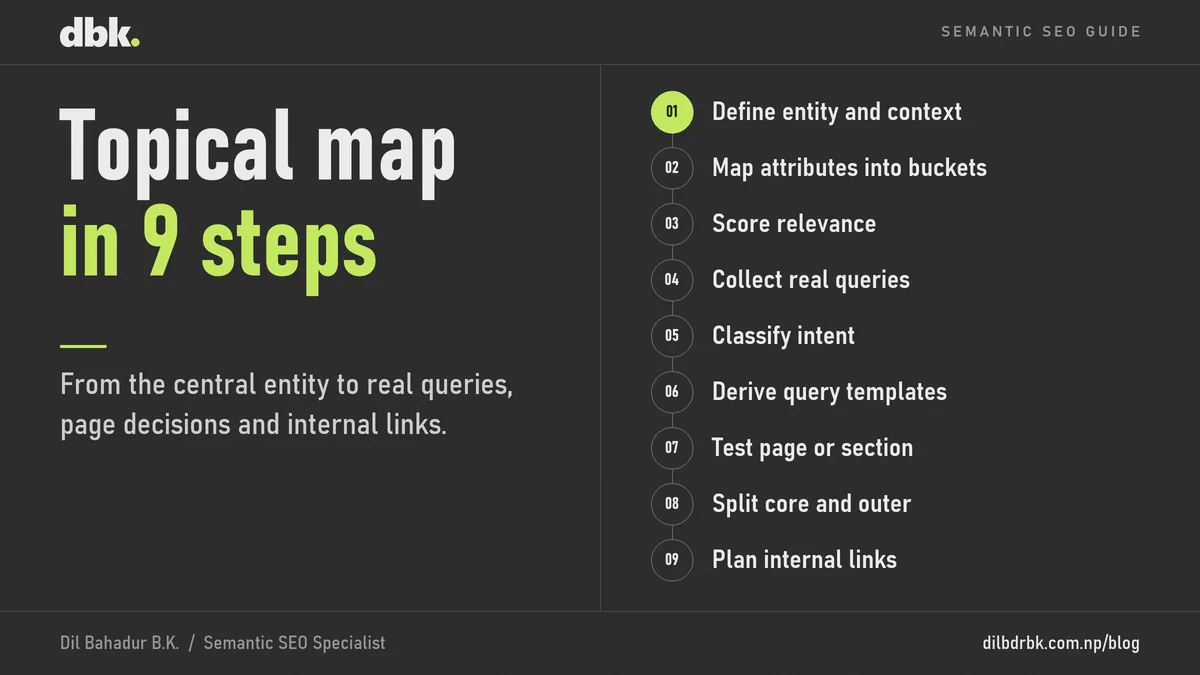
How to Create a Topical Map in 9 Steps
Creating a topical map takes 9 steps that move from the entity to the page plan to the link plan. The steps follow the method I use to plan topical maps, and each step hands a finished output to the next one.
Step 1: Define the Central Entity and Source Context
Define the central entity in one sentence, then define the source context: what the business sells and why the site exists. Holistic SEO describes source context as the perspective and function of a website on the open web, including its monetization and purpose.
The source context changes which parts of a topic matter. A trekking agency and a travel blog share the central entity "Everest Base Camp Trek", but the agency needs package, cost and permit pages first, while the blog can start with stories and preparation guides.
Step 2: Map the Entity's Attributes Into Buckets
List every attribute of the central entity and sort it into buckets, so no facet of the topic gets missed. I use 13 buckets: types, components or parts, methods, services, target problems, tools or products, people and roles, providers, regulators, certifications, locations, concepts and domain-specific attributes.
Each attribute then gets its values. For a trek, the attribute "season" holds values such as spring and autumn, and the attribute "permits" holds each permit the route requires.
Step 3: Score Each Topical Map Entity by Relevance
Score every related entity by how closely it connects to the central entity, on a scale from 0 to 1. I place entities at about 0.75 or higher in the primary layer, entities between about 0.45 and 0.75 in the secondary layer, and the rest in the outer layer.
The score sets priority, not existence. A low-relevance entity, such as travel insurance for a trek, still gets coverage, but later and with fewer pages than a high-relevance entity, such as trek cost.
Step 4: Collect Real Queries for Every Value
Collect the searches people actually make for each value, from Google autocomplete, People Also Ask, Search Console and a keyword tool for volumes. Every head term in an attribute gets researched, because a value with no data cannot be compared with the others.
Search Console adds queries no keyword tool lists, such as the long questions a live site already receives. Those queries join the map as full members, not as extras.
Step 5: Classify Each Query by Intent
Classify each query by what the searcher wants, using 15 intents grouped into 6 phases of the search journey. The table lists the phases and their intents.
| Phase | Intents | Example shape |
|---|---|---|
| Understand | identity, mechanism, taxonomy | what is {value}, types of {value} |
| Evaluate | value, comparison, evidence, risk | {value} vs {value}, is {value} worth it |
| Acquire | cost, selection, acquisition | how much does {value} cost, best {value} |
| Operate | operation | how to maintain {value} |
| Troubleshoot | diagnosis, remediation | why is my {value} failing, how to fix {value} |
| Exit and context | transition, governance | replace {value}, {value} permit |
Intent comes before wording. "Trek cost", "how much is the trek" and "trek price" share one intent, cost, so they belong to one cluster even though their words differ.
Step 6: Turn Repeated Query Shapes Into Templates
Turn a question shape that repeats across values into a template, such as "how much does {value} cost". I pick one base value per attribute, the value with the most distinct query shapes, and derive the templates from its real queries.
A template then extends to the sibling values of the same type, but only where the pairing makes sense. A problem, such as altitude sickness, gets "how to prevent" and "symptoms" templates, but never a "best" or "benefits of" template, because nobody wants the best altitude sickness.
Step 7: Test Which Topical Map Topics Deserve a Page
Run every candidate topic through a 4-rule page test against its parent topic. A topic earns its own page when at least 3 of the 4 rules pass.
- Different entity: the topic is its own entity, not the parent restated
- Low overlap: the topic shares little with the parent, such as no common head term
- Repeatable pattern: a query template from step 6 backs the topic
- Real demand: search volume or Search Console impressions show people search for it
A topic that passes 2 rules becomes a heading on the parent page. A topic that fails both the entity and the overlap rule is a keyword variant, such as "how much does the trek cost" under "trek cost". For borderline topics, the top 3 search results decide: 2 or 3 pages dedicated to the topic mean it needs its own page, and broader hub pages at the top mean a heading wins.
Free tool
Page or section checker
Tick each rule your topic passes against its parent topic, then add how many of the top 3 search results are pages dedicated to the topic. The checker returns the decision a topical map records: own page, heading, keyword variant or drop.
Tick the rules
Tick the rules your topic passes to see the decision.
The rule of thumb: 3 or 4 rules mean an own page, 2 rules mean a heading on the parent page, a topic that fails both the entity and the overlap rule is a keyword variant, and fewer than 2 rules mean drop or hold. Two or three dedicated pages in the top 3 results confirm an own page.
Step 8: Split the Topical Map Into Core and Outer Sections
Split the approved pages into a core section and an outer section by commercial proximity. The core section holds the attributes a buyer weighs on the way to a purchase, such as packages, costs and itineraries, and the outer section holds the attributes that widen coverage, such as altitude sickness and packing lists.
Holistic SEO ties the choice of the core section to the source context, which is why step 1 comes first. Core pages that answer buying questions, such as cost and selection, usually become service or landing pages, and outer pages usually become blog articles.
Step 9: Plan the Topical Map's Internal Links and Publishing Order
Plan the internal links before writing: the home page links to hub pages, each hub links to its pages, and related pages link to each other. Google's SEO Starter Guide states that Google primarily finds pages through links from pages it already crawled.
Use each target page's H1 or title as the anchor text, and vary the anchor once the same text appears 3 times across the site. Publish in priority order, starting with the core pages, so every outer article that follows can link to a live commercial page.
Topical Map Example: Everest Base Camp Trek
A topical map for a trekking agency selling the Everest Base Camp Trek shows how the decisions work in practice. The table is an illustration of the method, not live search data.
| Attribute | Value or query | Intent | Section | Decision |
|---|---|---|---|---|
| Cost | Everest Base Camp trek cost | cost | Core | Own page |
| Cost | how much does the Everest Base Camp trek cost | cost | Core | Variant of the cost page |
| Permits | Everest Base Camp permits | governance | Core | Own page |
| Itinerary | Everest Base Camp trek itinerary | operation | Core | Own page |
| Season | best time to trek to Everest Base Camp | selection | Core | Heading on the itinerary page, unless the search results show dedicated pages |
| Problems | altitude sickness on the Everest Base Camp trek | risk | Outer | Own page |
| Flights | Lukla flights | acquisition | Outer | Own page |
| Gear | Everest Base Camp packing list | operation | Outer | Own page |
The cost phrasing "how much does the trek cost" fails both the entity and the overlap rule against "trek cost", so it stays a variant on the same page. The topical coverage checker uses the same trek to show how core and outer coverage add up.
Common Topical Map Mistakes
Six mistakes turn a topical map into a list of competing pages. The list explains each one.
- One page per keyword variant: "trek cost" and "trek price" split their signals across two URLs instead of one.
- Templates from imagination: a template without real queries behind it produces pages nobody searches for.
- Catch-all titles: a page titled "complete guide" for a query the planner did not understand answers no specific question.
- Ignoring source context: a map that covers a topic evenly gives a business no priority between pages that sell and pages that inform.
- Skipping the page test: giving every value its own URL creates thin pages with little unique content.
- No link plan: pages that no other page links to are harder for Google to find and to place in the topic.
Google's guidance on helpful content asks whether a site has a primary purpose or focus. A topical map built from the source context answers that question before the first page goes live.
Which Tools Help Create a Topical Map?
Five types of tools cover the research and the planning behind a topical map. The table lists what each one adds.
| Tool type | Examples | What it adds to the map |
|---|---|---|
| Query suggestions | Google autocomplete, People Also Ask | The question shapes people use for each value |
| Search performance data | Google Search Console | Queries the site already receives, with impressions |
| Keyword research tools | Tools with search volume and difficulty data | Demand for each candidate page |
| Search results checks | Manual review of the top 3 results | The page-or-heading verdict for borderline topics |
| Spreadsheet | Any spreadsheet with one row per value | The ontology, the templates and the page plan in one place |
AI assistants can draft attribute lists quickly, but every template and page decision still needs real queries and real search results behind it. AI search raises the stakes of a complete map, because Google states that AI Overviews and AI Mode may run related searches across subtopics, as the guide to getting cited by ChatGPT explains.
How to Create a Topical Map FAQ
How many pages should a topical map have?
There is no fixed number. The page test decides the count, so a narrow local service needs far fewer pages than a large online store, because each attribute and value either earns a page or merges into a parent.
What is the difference between a topical map and a content cluster?
A content cluster is one group of related pages around a hub page. A topical map plans every cluster of a topic, decides which topics get pages, and sets the order and the links between clusters.
Can AI create a topical map?
AI can draft the entity list and attribute buckets, but it cannot replace real query data. Templates and page decisions need autocomplete, Search Console and search results checks, or the map fills with pages nobody searches for.
Should every query in a topical map get its own page?
No. A query earns its own page only when it passes at least 3 of the 4 page rules. Most phrasings of the same question belong on one page, and many subtopics work better as headings on a parent page.
What is the difference between the core section and the outer section?
The core section covers the attributes closest to what the business sells, such as costs and packages. The outer section covers the wider topic, such as preparation and risks, and links back to the core pages.
Get a Topical Map for Your Site
A topical map turns this method into a page plan for one website. I deliver 3 outputs in this kind of project:
- Entity ontology: the central entity, its attributes in buckets, values and relevance layers
- Query and template library: the real queries per value, classified by intent, with the templates they support
- Page plan: a page, heading or variant decision for every topic, split into core and outer sections, with the internal link plan
The work fits local service businesses, e-commerce stores and B2B companies, such as the 25+ industries on the Industries page.
References
Practitioner sources:
- Koray Tugberk Gubur, Holistic SEO, What is Topical Authority?
- Holistic SEO, How to Expand a Topical Map for Higher Topical Authority?
Google documentation:
- Google Search Central, SEO Starter Guide, updated 10 December 2025
- Google Search Central, Creating helpful, reliable, people-first content
- Google Search Central, AI features and your website, updated 10 December 2025